
Best fit
Who should use this template
Designed for engineers & developers, with a strong fit for these fields and career stages.
EngineeringSoftwareDataDevOpsEntry levelProfessionalSenior
Resume/CV template guide
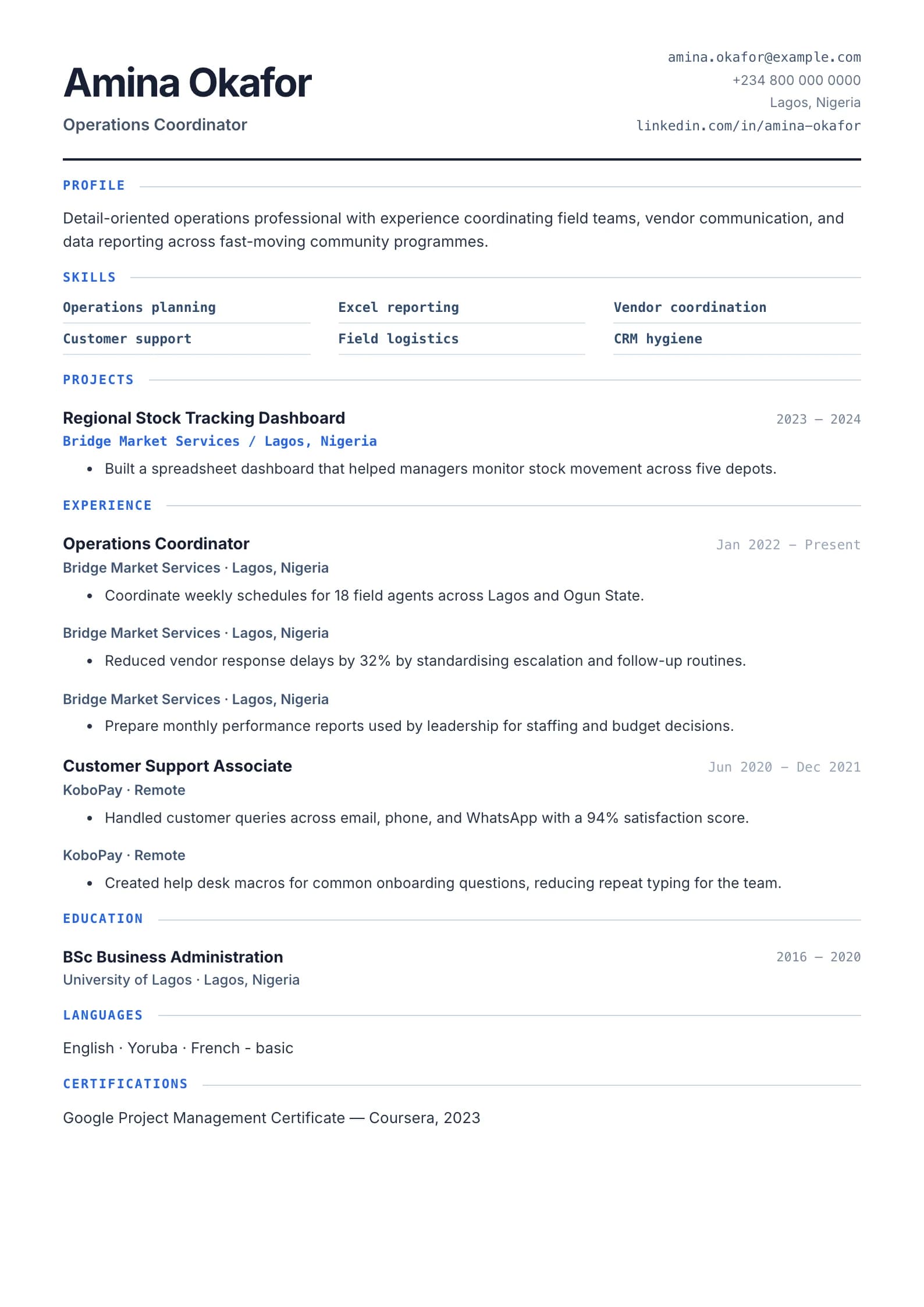
A monospace developer resume that highlights skills, projects, and links — built for engineers.
Technical uses a developer-oriented visual language to make stack, projects, and professional links central to the application. It works when engineering depth must be visible without losing the impact behind the implementation.
Format strengths
Use this structure when its hierarchy supports the evidence you need a recruiter to notice first.
Best fit
Designed for engineers & developers, with a strong fit for these fields and career stages.
Use it carefully
Detailed template analysis
Technical is built for engineering, software, data, infrastructure, laboratory, manufacturing, and other roles where tools and methods matter. A stack list is useful for screening, but experience proves depth. For each important technology, show the system, project, scale, constraint, and result: users, data volume, reliability, cycle time, defects, cost, safety, or performance. Distinguish tools used professionally from coursework or personal exploration.
Projects should explain architecture or method only to the level needed for the hiring decision. Name the problem, the candidate’s contribution, key choices, and the outcome. Avoid confidential source code, client details, or unsupported claims about an entire team’s delivery. Certifications and standards should include issuer and status, while links should point to work the candidate can discuss.
A technical hiring manager may inspect depth, while a recruiter first checks role fit, years, domain, and required tools. Use a concise summary and grouped skills for the initial scan, then provide evidence in chronological experience. Expand uncommon abbreviations on first use and explain local project terminology when applying internationally. Dense technology inventories without prioritization make seniority harder to judge.
Test the document for long package names, URLs, standards, and project titles. They must wrap without covering dates or leaving the page wider than the PDF. Check text extraction and keep important details outside diagrams. Technical is appropriate when specialist evidence needs visible organization; Minimal may be better when the target role values a narrower stack and a straightforward history.
Content priorities
The visual format earns attention only when the most relevant evidence appears in the right sections.
Group languages, frameworks, databases, cloud, testing, and delivery tools by capability.
State architecture or implementation choices, your contribution, constraints, and measured result.
Add working GitHub, portfolio, package, demo, or technical writing links that support the application.
How to use it
Keep the structure useful, replace every example, then test the final file as a recruiter would see it.
Keep the sections that support your target role and remove irrelevant placeholders.
Replace sample text with accurate tools, scope, achievements, education, and links.
Check hierarchy, dates, spelling, and page length before exporting PDF or DOCX.
Template FAQ
Prioritize the stack requested by the role and tools you can discuss confidently. Group related technologies instead of presenting an unfiltered inventory.
Yes, when the link is public, working, and represents your contribution accurately. Explain your role when a project was completed by a team.
Use the layout as a starting point, then make every section specific to your next application.
Open the editor