
Best fit
Who should use this template
Designed for senior candidates, with a strong fit for these fields and career stages.
SeniorExecutiveTechSeniorExecutive
Resume/CV template guide
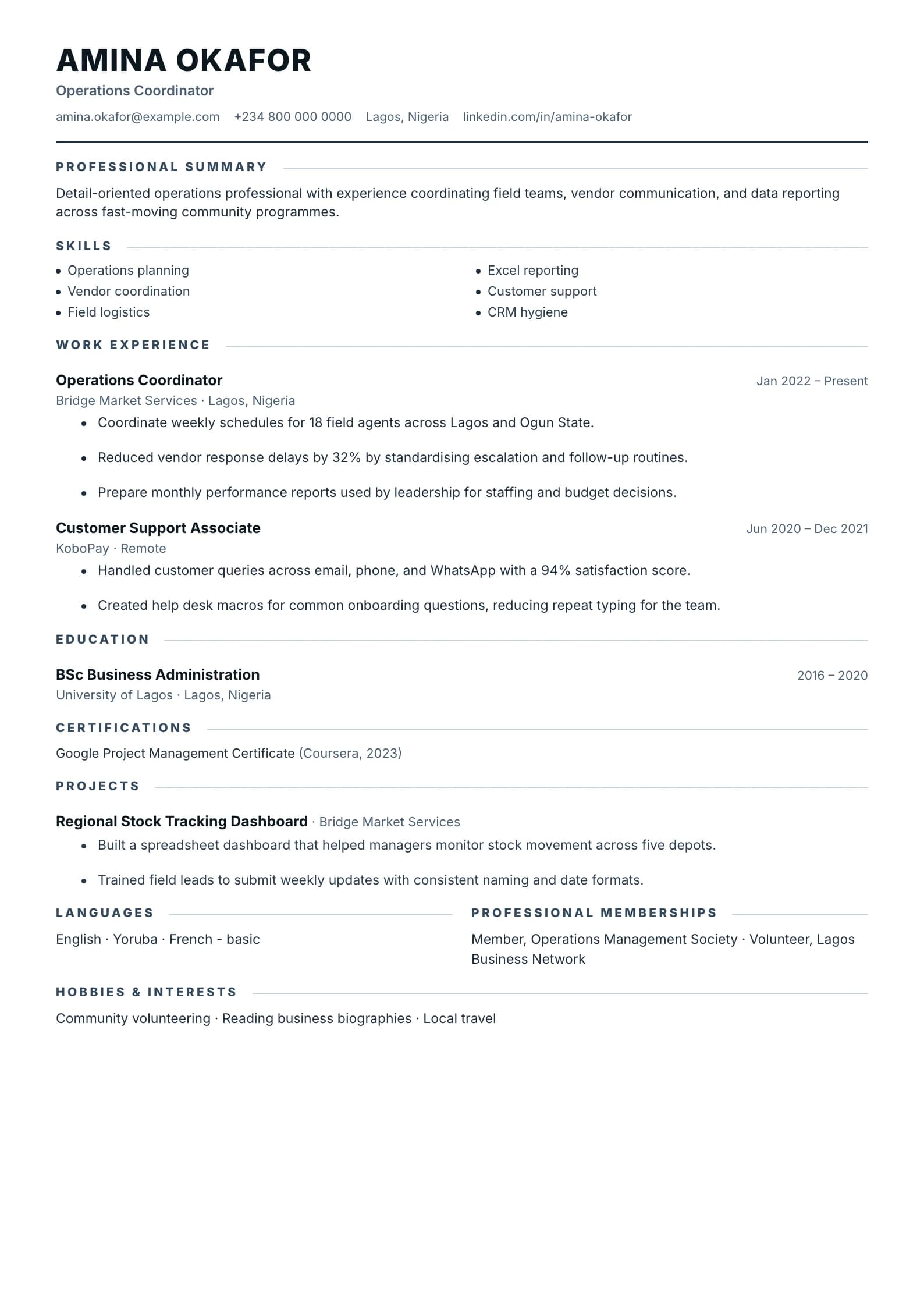
Tight spacing and dense layout pack a full career onto one page — perfect for 10+ years of experience.
Compact is built for candidates who have substantial relevant evidence and need to use space efficiently. Tighter typography and section rhythm allow more career depth without abandoning a professional reading order.
Format strengths
Use this structure when its hierarchy supports the evidence you need a recruiter to notice first.
Best fit
Designed for senior candidates, with a strong fit for these fields and career stages.
Use it carefully
Detailed template analysis
Compact is useful when a candidate has several directly relevant roles, projects, or credentials and wants to preserve a conventional reading order. It is not permission to place an entire career on one page. Decide what the target employer needs first, then use the tighter rhythm to keep related evidence together. Recent experience should remain readable, with clear employers, titles, dates, and outcomes despite the reduced spacing.
Shorten repeated duties and use one line of context before selected bullets when necessary. Skills and credentials can be grouped, but avoid long comma-separated inventories that are difficult to scan. Technical candidates should connect tools to projects; managers should connect methods to scope and results. Older unrelated work can be summarized rather than compressed into tiny type.
A compact resume must still work at 100 percent zoom and in print. Keep body text, line height, indentation, and contrast comfortable. Test long words, URLs, and translated qualifications with real content. If the page requires smaller type to avoid overflow, the editing problem has not been solved; remove or reorganize material, or use a second page.
Check that section headings remain attached to the first item and that dense lists do not create a wall of text. Copy the exported text to verify reading order and inspect the final page for a large empty area caused by an oversized content block. Compact is a good choice when evidence is genuinely concentrated, not when the candidate is unwilling to prioritize.
Content priorities
The visual format earns attention only when the most relevant evidence appears in the right sections.
Give most space to recent roles, decisions, scope, and measurable outcomes.
Compress older roles into the evidence that still supports the target position.
Keep only current systems, credentials, and specialist capabilities relevant to the vacancy.
How to use it
Keep the structure useful, replace every example, then test the final file as a recruiter would see it.
Keep the sections that support your target role and remove irrelevant placeholders.
Replace sample text with accurate tools, scope, achievements, education, and links.
Check hierarchy, dates, spelling, and page length before exporting PDF or DOCX.
Template FAQ
Body text should remain comfortably readable in the exported PDF. Edit less relevant content before reducing the font or line spacing.
No. It can support one or two pages. The goal is efficient use of space, not forcing an extensive senior career into an unsuitable single page.
Use the layout as a starting point, then make every section specific to your next application.
Open the editor