
Best fit
Who should use this template
Designed for profile-forward roles, with a strong fit for these fields and career stages.
SalesHospitalityMarketingEntry levelProfessional
Resume/CV template guide
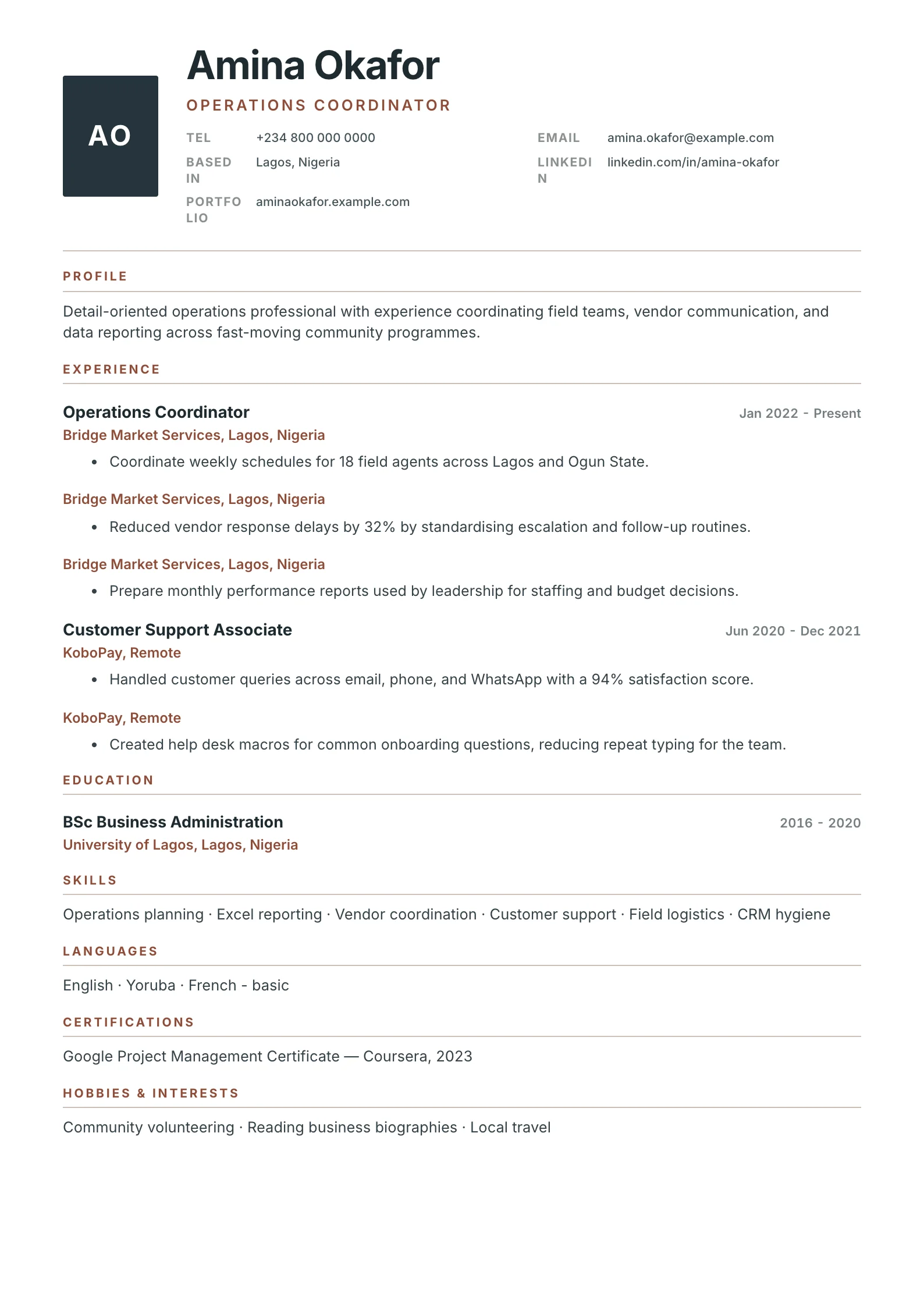
A centered circular photo header with name, role, and contact, above a clean single-column body.
Photo Header places a portrait and professional identity above a clean single-column body. It creates a personal first impression while keeping the career timeline simpler than a full sidebar layout.
Format strengths
Use this structure when its hierarchy supports the evidence you need a recruiter to notice first.
Best fit
Designed for profile-forward roles, with a strong fit for these fields and career stages.
Use it carefully
Detailed template analysis
Photo Header places identity and contact information together at the top, which can work for client-facing, hospitality, media, education, or international profiles when photographs are appropriate. Keep the image proportionate and place the target role beside the name so the recruiter understands the application before reading further. The summary immediately below should add professional context rather than describe personality or appearance.
Because the header already has visual weight, the rest of the page should be restrained. Use standard headings, a clear timeline, and short evidence-led bullets. Avoid multiple color systems, large icons, or graphical skill ratings. The image does not replace a portfolio for visual work; include a descriptive portfolio link and explain the candidate’s role in selected projects.
A tall header can push the most relevant role too far down the page. Test with the candidate’s real contact details and summary, then reduce image or header height if recent experience is not visible early. Keep email, phone, location, and links as selectable text. When the employer does not request a photo, prepare a parallel version with the same content in Modern or Minimal.
Review how the header behaves on every exported page and at common zoom levels. It should not repeat unnecessarily, collide with the first section, or become blurry in PDF. Confirm local photo conventions before submission and avoid sensitive personal information. A successful photo header feels integrated with the document hierarchy; it should never look like an image pasted above an otherwise unrelated resume.
Content priorities
The visual format earns attention only when the most relevant evidence appears in the right sections.
Align your name, accurate target title, location, contact links, and portrait.
Use a concise introduction that supports the visual confidence with relevant professional value.
Prioritize customer, campaign, event, relationship, or commercial outcomes.
How to use it
Keep the structure useful, replace every example, then test the final file as a recruiter would see it.
Keep the sections that support your target role and remove irrelevant placeholders.
Replace sample text with accurate tools, scope, achievements, education, and links.
Check hierarchy, dates, spelling, and page length before exporting PDF or DOCX.
Template FAQ
It can support roles where personal brand matters, but the resume content still needs role-specific evidence and should not simply repeat a LinkedIn profile.
Yes. If the employer does not request a photo, choose a non-photo template or remove the image so the header remains balanced and relevant.
Use the layout as a starting point, then make every section specific to your next application.
Open the editor