
Best fit
Who should use this template
Designed for client-facing roles, with a strong fit for these fields and career stages.
SalesHospitalityClient-facingEntry levelProfessional
Resume/CV template guide
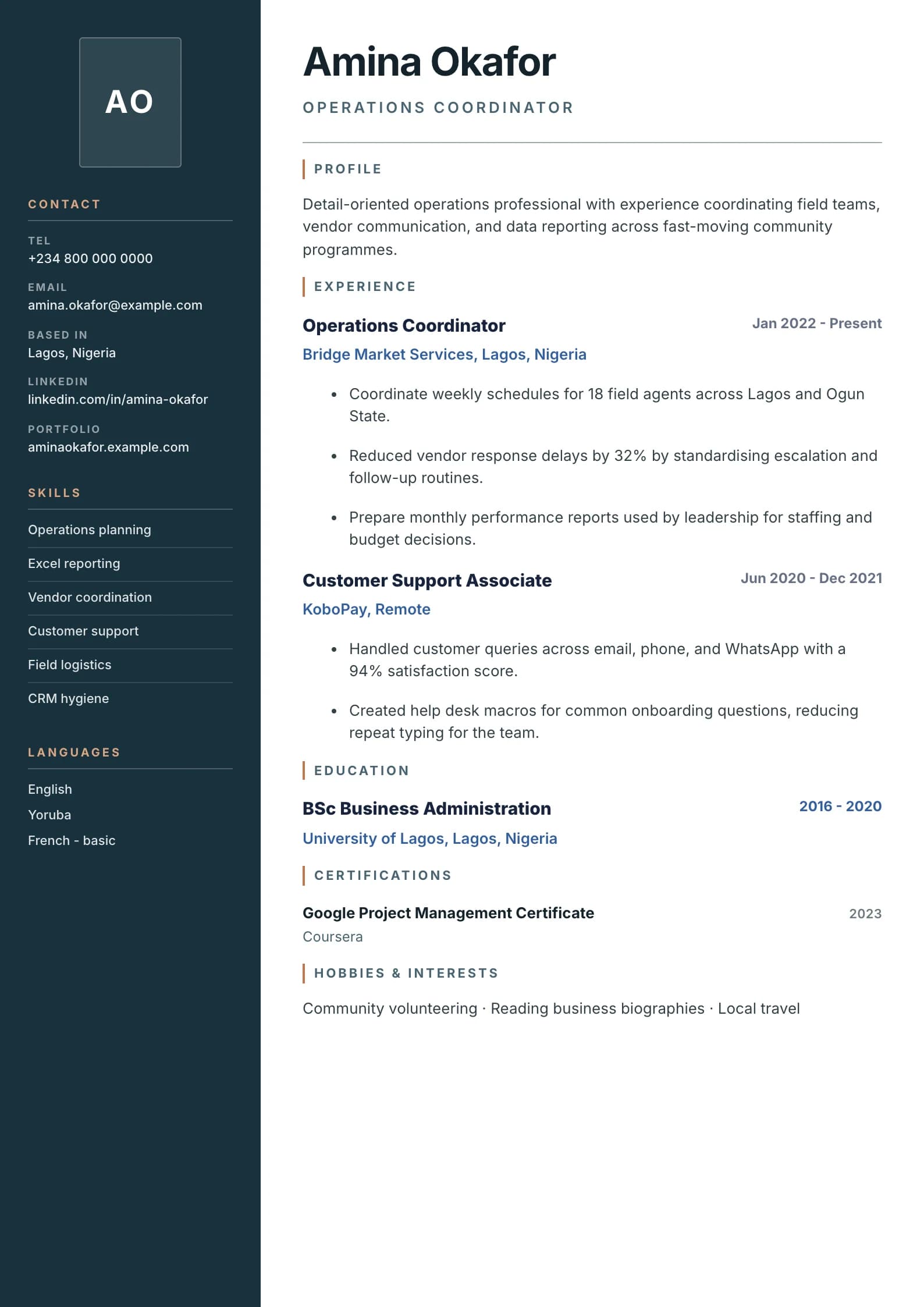
A clean corporate photo layout with a left profile rail, contact details, skills, and certifications.
Photo Professional uses a corporate side rail to combine a portrait with concise credentials and contact information. It is most effective where personal presentation is accepted and relationship-building is part of the role.
Format strengths
Use this structure when its hierarchy supports the evidence you need a recruiter to notice first.
Best fit
Designed for client-facing roles, with a strong fit for these fields and career stages.
Use it carefully
Detailed template analysis
Photo Professional is intended for markets or application processes where a professional image is accepted or requested. The photograph may make the document feel more personal, but it cannot establish competence. Keep the headline, summary, recent experience, and qualifications stronger than the image. Use a current head-and-shoulders photograph with neutral lighting and a simple background, and avoid heavy retouching or a crop that dominates the page.
Photo expectations vary by country, employer, and occupation. Maintain a no-photo version for online portals and applications where bias, privacy, or local convention makes an image inappropriate. Never infer that a photo is mandatory from a generic template site. The named employer’s instructions should decide, and sensitive personal details should not be added simply because the layout contains a portrait area.
The side area should hold concise supporting information: contact details, selected skills, languages, and credentials. Long URLs, certification names, or skill phrases can overflow narrow columns, so edit labels and test real data rather than relying on placeholders. Keep the main chronology in the wider area and ensure recent achievements receive enough horizontal space to be read naturally.
Export both PDF and DOCX and inspect image quality, file size, text selection, and page breaks. The photo should remain sharp without making the file unnecessarily large. Check that links wrap safely and that sidebar content does not create an extra nearly empty page. If the candidate’s history is dense or the employer is highly conservative, a photo-free one-column layout may communicate more information with less risk.
Content priorities
The visual format earns attention only when the most relevant evidence appears in the right sections.
Use a neutral, high-quality headshot only when it supports the target market and role.
Show revenue, satisfaction, retention, events, accounts, or service-quality outcomes.
Highlight role-specific licences, product training, hospitality credentials, or language ability.
How to use it
Keep the structure useful, replace every example, then test the final file as a recruiter would see it.
Keep the sections that support your target role and remove irrelevant placeholders.
Replace sample text with accurate tools, scope, achievements, education, and links.
Check hierarchy, dates, spelling, and page length before exporting PDF or DOCX.
Template FAQ
It can be appropriate in markets and roles where professional photos are customary. For multinational or anonymous screening, check the employer guidance before including one.
Choose a recent head-and-shoulders portrait with clear lighting, a simple background, professional clothing, and no distracting filters.
Use the layout as a starting point, then make every section specific to your next application.
Open the editor