
Best fit
Who should use this template
Designed for career changers, with a strong fit for these fields and career stages.
Career changeSkills-basedEntry-levelEntry levelProfessional
Resume/CV template guide
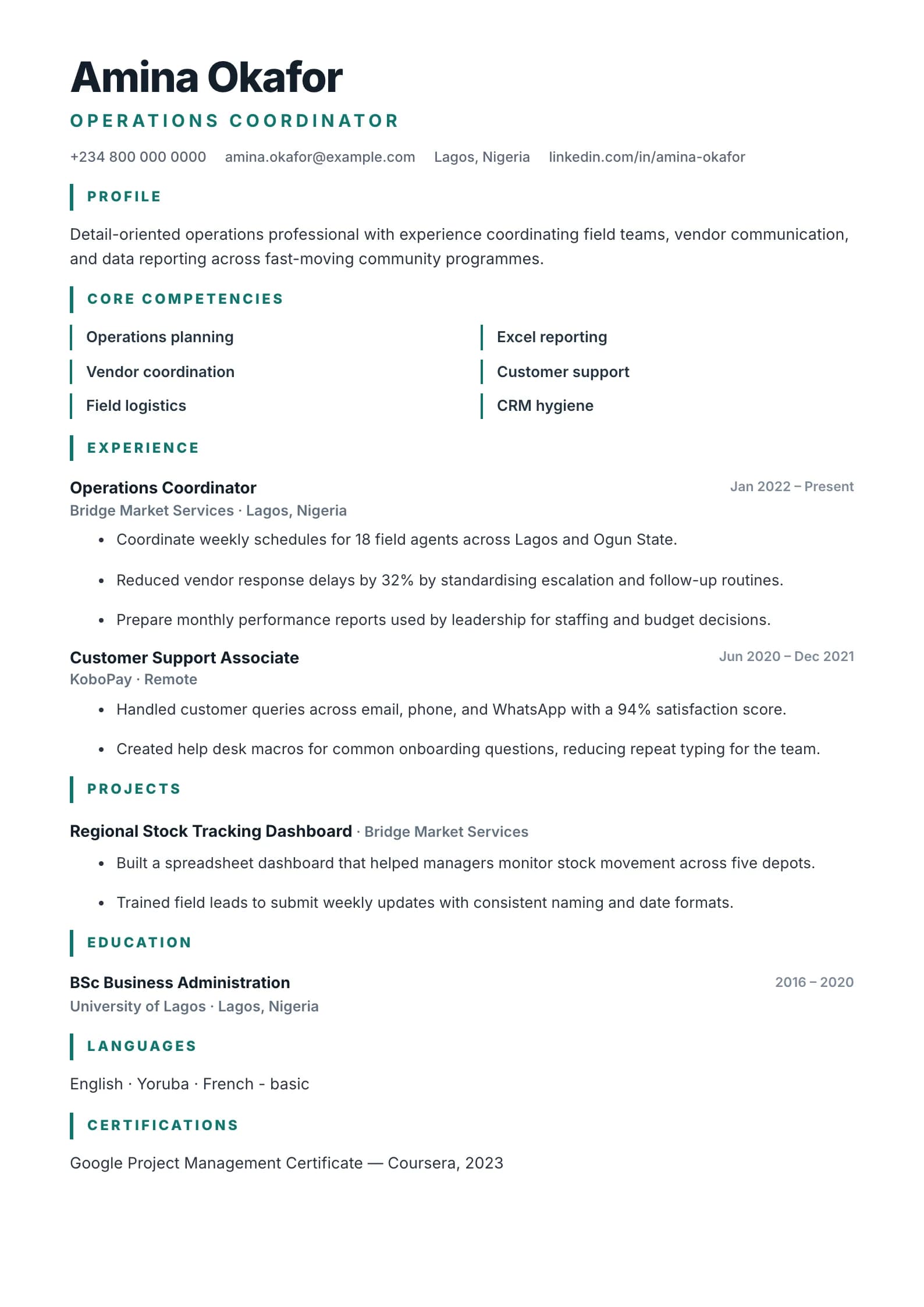
A skills-first layout that leads with core competencies — ideal for career changers and gaps.
Functional leads with capability groups before the detailed timeline. It can help career changers and candidates with non-linear backgrounds connect transferable evidence to a new role without hiding employment history.
Format strengths
Use this structure when its hierarchy supports the evidence you need a recruiter to notice first.
Best fit
Designed for career changers, with a strong fit for these fields and career stages.
Use it carefully
Detailed template analysis
Functional emphasizes skill groups and selected evidence, which can help career changers, returners, freelancers, or candidates whose strongest projects are distributed across several roles. The opening skill areas should correspond to the target vacancy and contain concrete examples, not adjective lists. Each capability needs a setting, action, and result that demonstrates where it came from.
Do not use the format to conceal employers or dates. Include a clear employment history after the capability sections so the recruiter can verify chronology and context. When a skill came from volunteering, education, independent projects, or contract work, label that source accurately. A hybrid structure is usually stronger than a purely functional resume because it balances relevance with trust.
Use Functional only when grouping evidence by capability makes the candidate easier to understand. If recent experience already matches the target role, reverse chronology will usually be faster for the reader. If the application portal expects job-by-job duties, keep a chronological version available. The candidate should never appear to be avoiding a reasonable question about dates or progression.
Review every capability heading for duplication and attach no more examples than needed to prove the point. Then check the employment list against professional profiles and application forms for consistent titles and dates. Copy the PDF text to confirm that skills, evidence, and history remain distinguishable. The format should explain a non-linear background honestly, not disguise it.
Content priorities
The visual format earns attention only when the most relevant evidence appears in the right sections.
Name the new role and connect it to supported transferable strengths without apologizing for the change.
Organize evidence into three or four capabilities directly relevant to the vacancy.
Keep employers, titles, and dates clear even when detailed bullets appear under skills.
How to use it
Keep the structure useful, replace every example, then test the final file as a recruiter would see it.
Keep the sections that support your target role and remove irrelevant placeholders.
Replace sample text with accurate tools, scope, achievements, education, and links.
Check hierarchy, dates, spelling, and page length before exporting PDF or DOCX.
Template FAQ
Some do when dates or employers are hidden. Keep the history transparent and use the skills-first structure to reorganize evidence, not to conceal information.
Use projects, volunteering, study, freelance work, and responsibilities that demonstrate the same tools, decisions, communication, or outcomes needed in the target role.
Use the layout as a starting point, then make every section specific to your next application.
Open the editor