
Best fit
Who should use this template
Designed for formal roles, with a strong fit for these fields and career stages.
FinanceLawGovernmentEntry levelProfessional
Resume/CV template guide
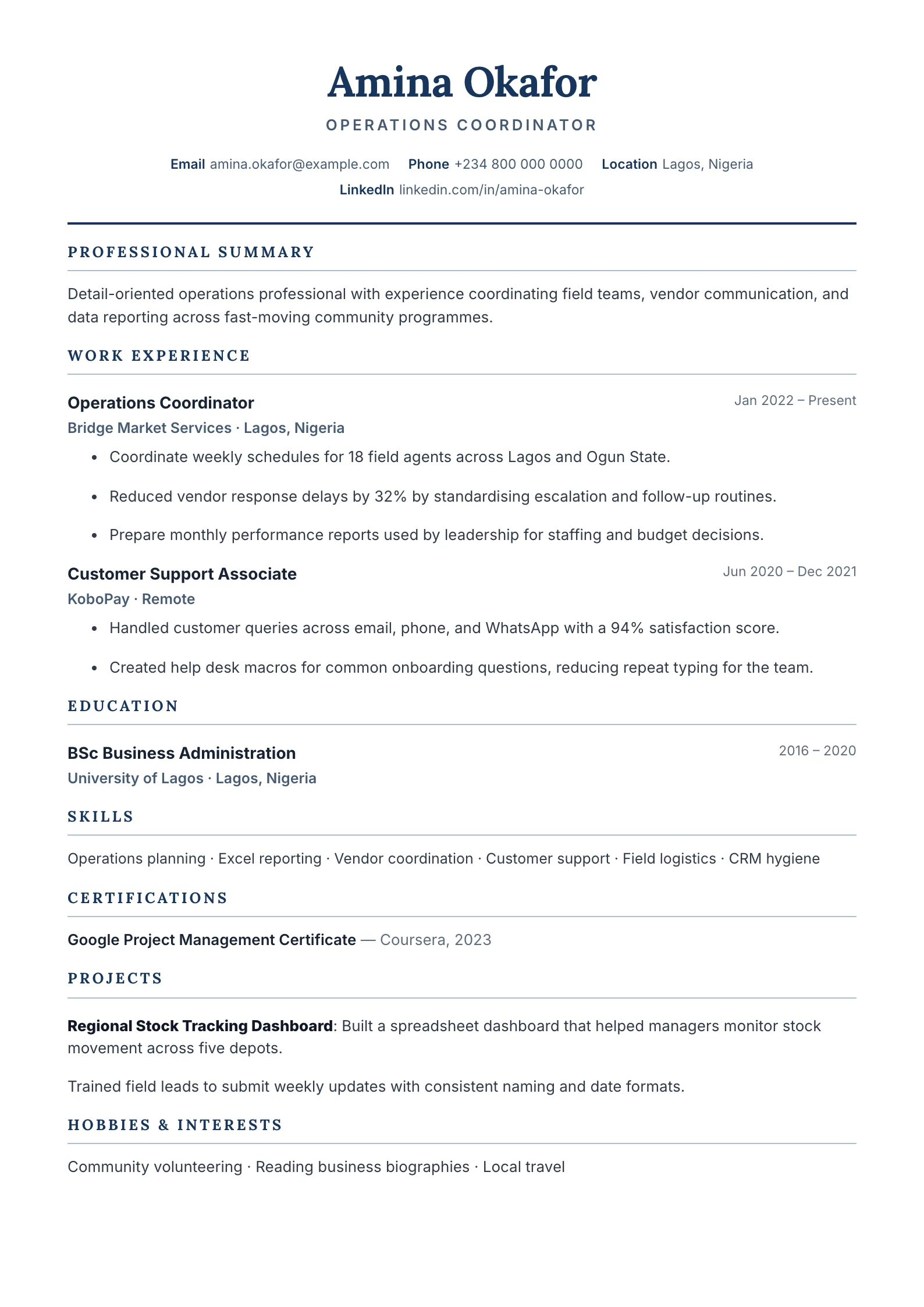
A refined one-column layout with formal headings, section rules, certifications, and projects.
Classic uses a familiar one-column reading order, restrained typography, and clear section rules. It is a dependable choice when evidence, qualifications, and chronology should carry more weight than visual styling.
Format strengths
Use this structure when its hierarchy supports the evidence you need a recruiter to notice first.
Best fit
Designed for formal roles, with a strong fit for these fields and career stages.
Use it carefully
Detailed template analysis
Classic is most persuasive when a reader needs to verify a conventional professional history. The single-column flow keeps the name, summary, employment, education, and credentials in one uninterrupted reading order. That is useful in finance, administration, public service, legal support, and regulated work, where dates and formal qualifications may be checked as carefully as achievements. Keep the typography restrained and let clear chronology create authority instead of adding decorative elements that compete with the evidence.
The summary should identify level, discipline, and responsibility rather than repeat broad traits. In each role, begin with the work that carried the greatest risk, accuracy requirement, service impact, or commercial value. Older positions can be shorter, but the timeline must remain transparent. Place licenses and memberships where they can be verified quickly, use their official names, and state whether a qualification is completed, active, or in progress.
A formal layout can become tiring when every role contains long duty lists. Edit repeated responsibilities across promotions and reserve detail for changes in scale, authority, systems, or outcomes. If the candidate has extensive publications, projects, or technical skills, another template may create clearer navigation. Do not solve overcrowding by shrinking the type; reduce low-value history, combine related bullets, or allow a well-structured second page.
Export the document and read it at normal zoom. The role, employer, date range, and first result for every recent position should be distinguishable without searching. Copy text from the PDF to confirm a real text layer, check that dates align consistently, and open every link. Classic succeeds when it feels calm and dependable, so small inconsistencies in punctuation, capitalization, or spacing are more visible and should be corrected before submission.
Content priorities
The visual format earns attention only when the most relevant evidence appears in the right sections.
Connect your level, specialist knowledge, and the type of responsibility you can take on.
Keep reverse chronology clear and support duties with accuracy, risk, revenue, or service outcomes.
Make licences, professional memberships, and in-progress qualifications easy to verify.
How to use it
Keep the structure useful, replace every example, then test the final file as a recruiter would see it.
Keep the sections that support your target role and remove irrelevant placeholders.
Replace sample text with accurate tools, scope, achievements, education, and links.
Check hierarchy, dates, spelling, and page length before exporting PDF or DOCX.
Template FAQ
Yes. It uses a straightforward one-column structure, standard headings, and selectable text. You should still tailor keywords and confirm the exported file against the employer instructions.
It is especially useful for finance, law, government, administration, and other roles where credibility and clear chronology matter more than decorative presentation.
Use the layout as a starting point, then make every section specific to your next application.
Open the editor